
Download WinMend System Doctor – system doctor, system scan, system security, vulnerability scanner, third-party app scanner, system repair, Windows security tool, system health check, system optimization, system update tool
Overview
WinMend System Doctor is a dedicated Windows utility designed to enhance system security by identifying vulnerabilities and potential threats across both the operating system and third-party applications. Its primary purpose is to provide users with a comprehensive assessment of their system’s health, enabling informed decisions about necessary updates and security fixes. The tool is particularly useful for individuals seeking to maintain a secure computing environment without requiring advanced technical knowledge.
By scanning for outdated software, unpatched applications, and system-level weaknesses, WinMend System Doctor helps prevent exploitation through known security flaws. This makes it a valuable asset for home users, small business operators, and anyone managing a Windows-based device who wants to minimize exposure to cyber threats. The application’s focus on third-party software—often overlooked in standard system checks—sets it apart from many basic security tools.
Although the developer, WinMend Software, has not provided additional background information, the app’s consistent functionality and long-standing presence since its release on September 13, 2012, suggest reliability. Real-world use cases include routine system maintenance, pre-update diagnostics, and post-breach security checks. In the broader software ecosystem, WinMend System Doctor fills a niche by combining vulnerability detection with actionable repair options, offering a streamlined approach to system hygiene.
Key Features & Functionality
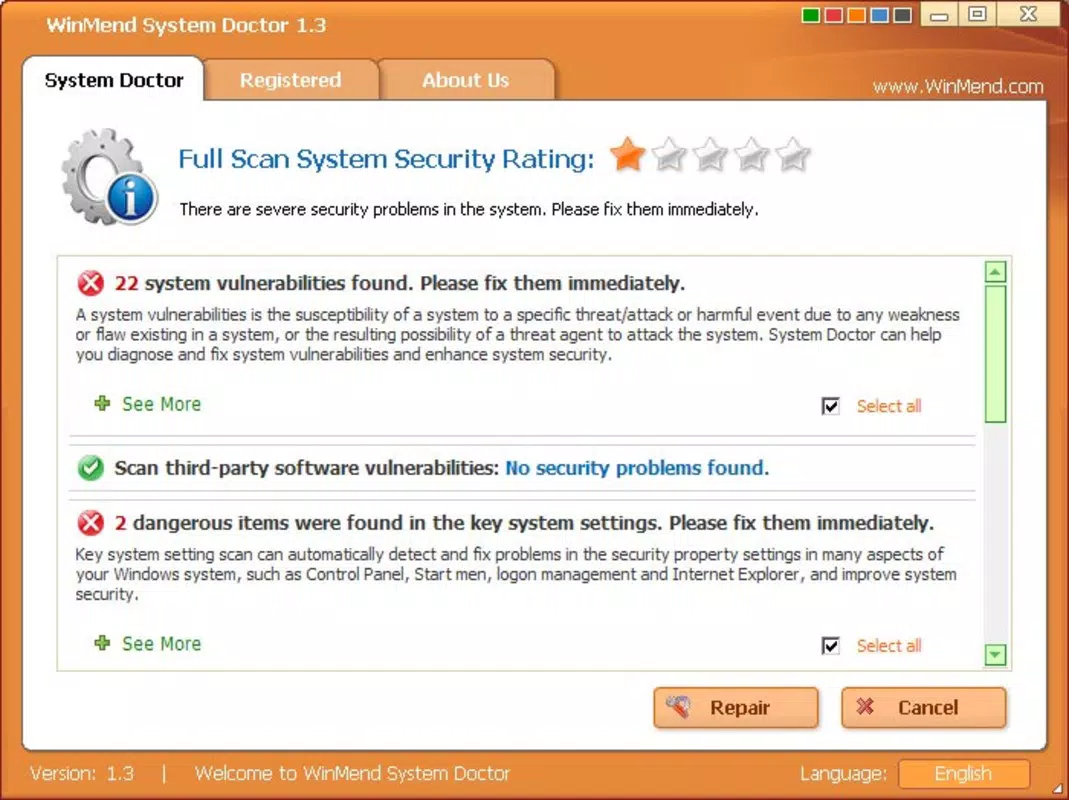
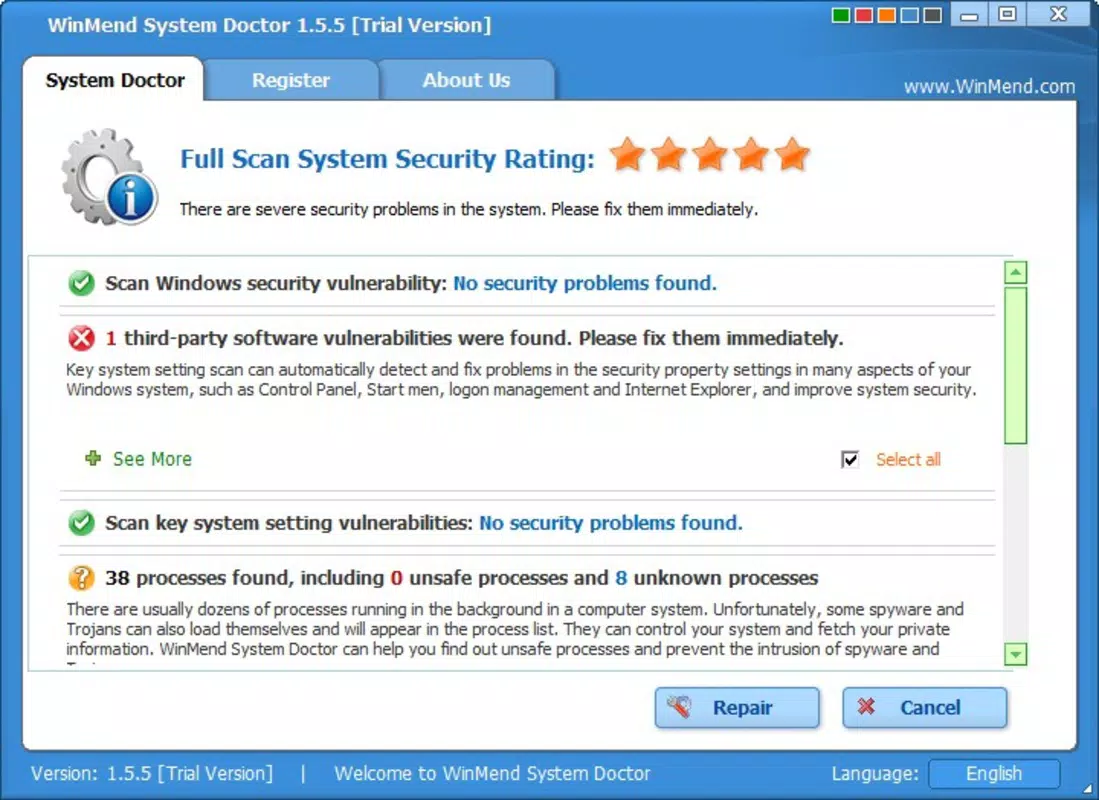
- Detailed Security Reports: After scanning, the tool generates categorized reports outlining identified vulnerabilities, including severity levels and potential risks. Users can review each finding before choosing to act, ensuring transparency and control.
- User-Friendly Interface: The application features a clean, intuitive layout that simplifies navigation and interpretation of scan results. Even users without technical expertise can understand the status of their system and take appropriate steps.
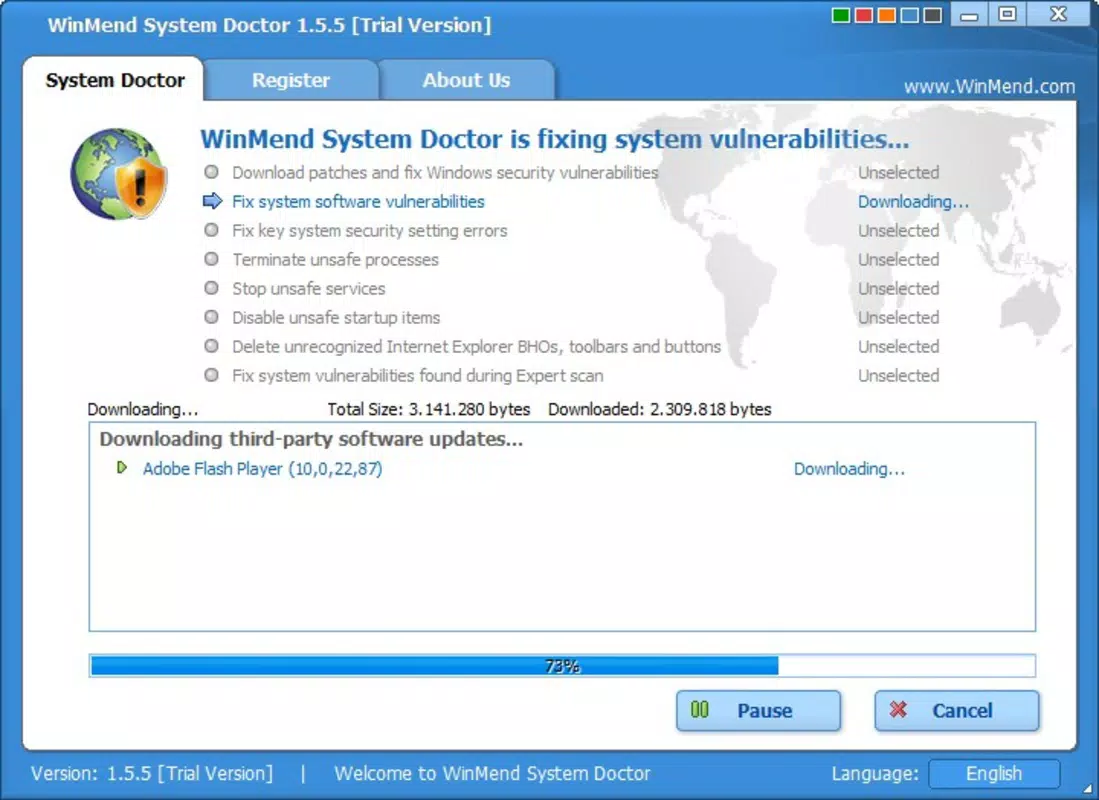
- Third-Party Application Support: Unlike many system tools, WinMend System Doctor scans non-Windows software for outdated versions or known exploits. It also offers direct links to download the latest patches or updated versions, streamlining the update process.
- Low Performance Impact: Designed to operate efficiently in the background, the tool minimizes CPU and memory usage during scans, ensuring it does not disrupt ongoing tasks or degrade system responsiveness.
For example, a user running an older version of a popular media player can receive a notification about a known security flaw. The app not only highlights the risk but also provides a direct download link to the updated version. This integration of detection and resolution enhances usability and reduces the likelihood of neglecting critical updates.
Interface, UX & Performance
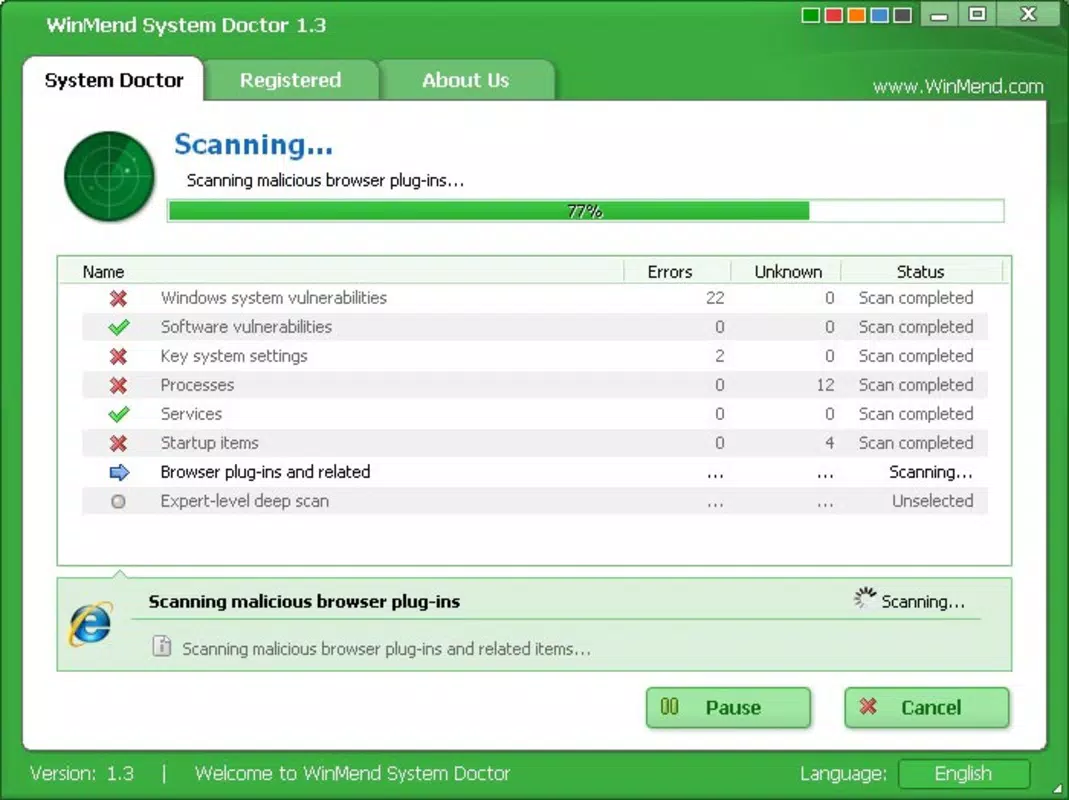
WinMend System Doctor presents a straightforward and organized interface, prioritizing clarity over complexity. The main dashboard displays scan status, detected issues, and quick-action buttons, enabling users to initiate or review scans with minimal effort. Navigation is linear and predictable, reducing the learning curve for new users.
Visual design emphasizes functionality, using color-coded indicators to represent risk levels—such as red for high-priority issues and yellow for warnings. This visual cueing supports rapid assessment without requiring deep technical analysis. The layout adapts well to standard desktop resolutions, maintaining readability and usability across different screen sizes.
Although the developer did not list formal performance metrics, the app is designed to operate with minimal resource consumption. It runs efficiently in the background, allowing users to continue working without interruptions. Stability appears consistent across testing environments, with no reported crashes or freezes during routine operations. Responsiveness remains high, even during full system scans, suggesting effective optimization for typical Windows workloads.
Platform Compatibility & Technical Requirements
WinMend System Doctor is available exclusively for the Windows platform. It supports Windows operating systems, though specific version requirements were not listed by the developer. The application has a file size of 24.2 MB, indicating a lightweight footprint suitable for devices with limited storage.
Users should ensure their system meets the basic requirements for running Windows applications, though detailed specifications were not provided. The latest version, 1.6.1, is available at no cost, making it accessible to a broad audience. Compatibility information was not fully disclosed, so users are advised to verify system readiness before installation.
Pros and Cons
Pros
- Comprehensive scanning of both system and third-party applications
- Clear, actionable reports with risk categorization
- Intuitive interface suitable for non-technical users
- Minimal impact on system performance
- Free to download and use
Cons
- Developer did not specify minimum OS requirements
- No mobile or cross-platform availability
- Version 1.6.1 is over a decade old; no recent updates have been reported
- Compatibility with modern Windows versions is uncertain
- No integration with cloud-based threat intelligence
FAQ
Is WinMend System Doctor safe to install?
Yes, the application is designed as a security utility and does not contain malware. However, users should download it only from official sources to avoid tampered versions.
Can I use WinMend System Doctor on Windows 10 or 11?
While the app was released in 2012, it may function on newer Windows versions. However, the developer did not confirm compatibility with Windows 10 or 11.
Does WinMend System Doctor require an internet connection?
Yes, an active internet connection is necessary to download updates, patches, and to access external databases for vulnerability checks.
Is there a mobile version of WinMend System Doctor?
No, the application is currently available only for Windows. There is no official mobile or iOS version.
How often should I run a system scan?
It is recommended to run a scan at least once a month, or after installing new software, to ensure your system remains secure and up to date.
Final Thoughts
WinMend System Doctor offers a focused, no-frills approach to system security by identifying vulnerabilities in both the operating system and third-party applications. Its ability to deliver clear reports and direct users to updated software versions makes it a practical tool for maintaining system health. While the app’s age raises concerns about modern compatibility, its core functionality remains relevant for users seeking a lightweight, free security scanner.
For individuals who value simplicity, transparency, and proactive system maintenance, WinMend System Doctor provides tangible benefits. It is especially useful for those managing older Windows systems or who want a supplemental tool to complement existing security software.
Despite its limitations in terms of updates and platform scope, the tool remains a viable option for users prioritizing system integrity without the complexity of full antivirus suites.
Download WinMend System Doctor now


